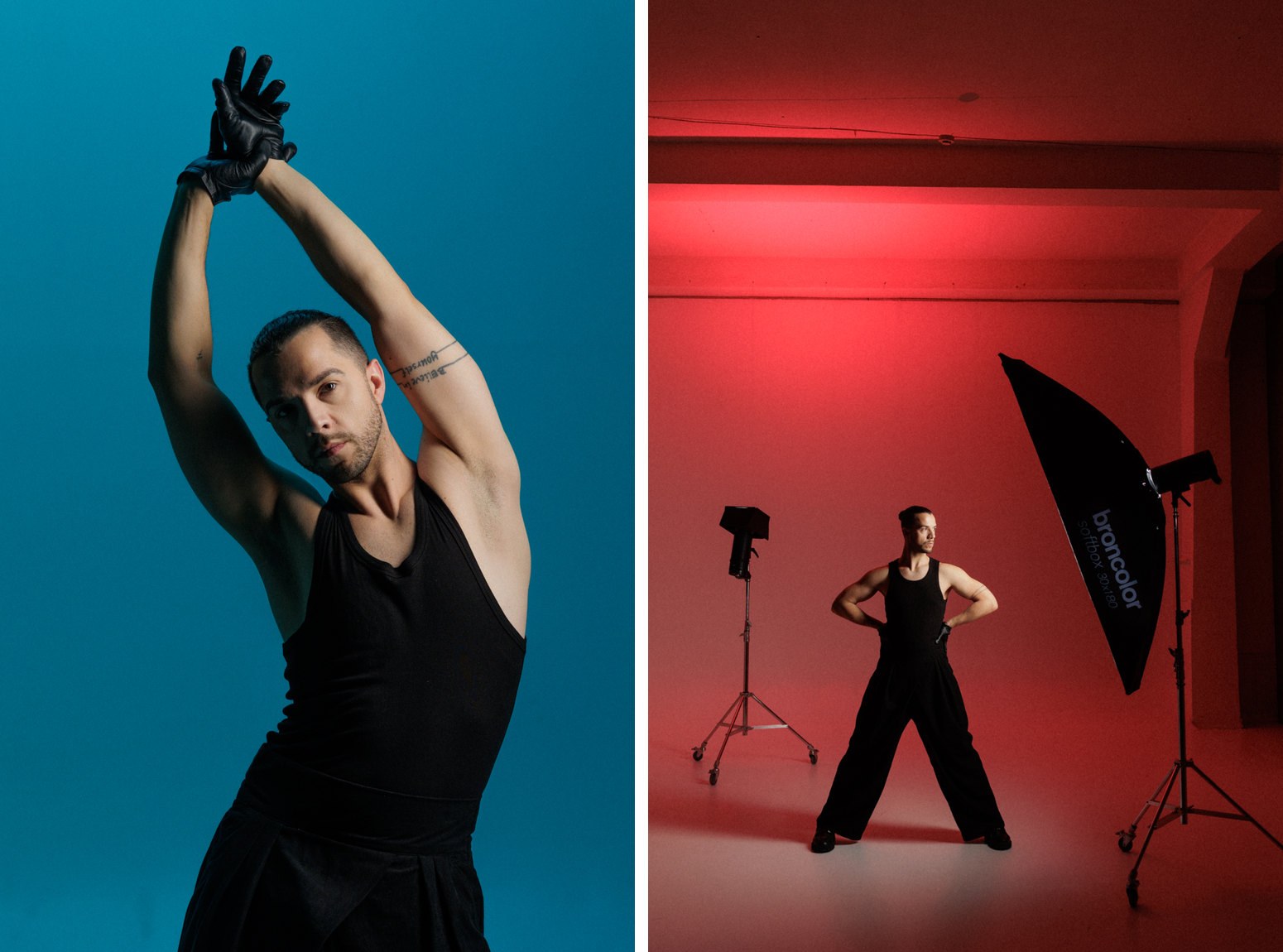
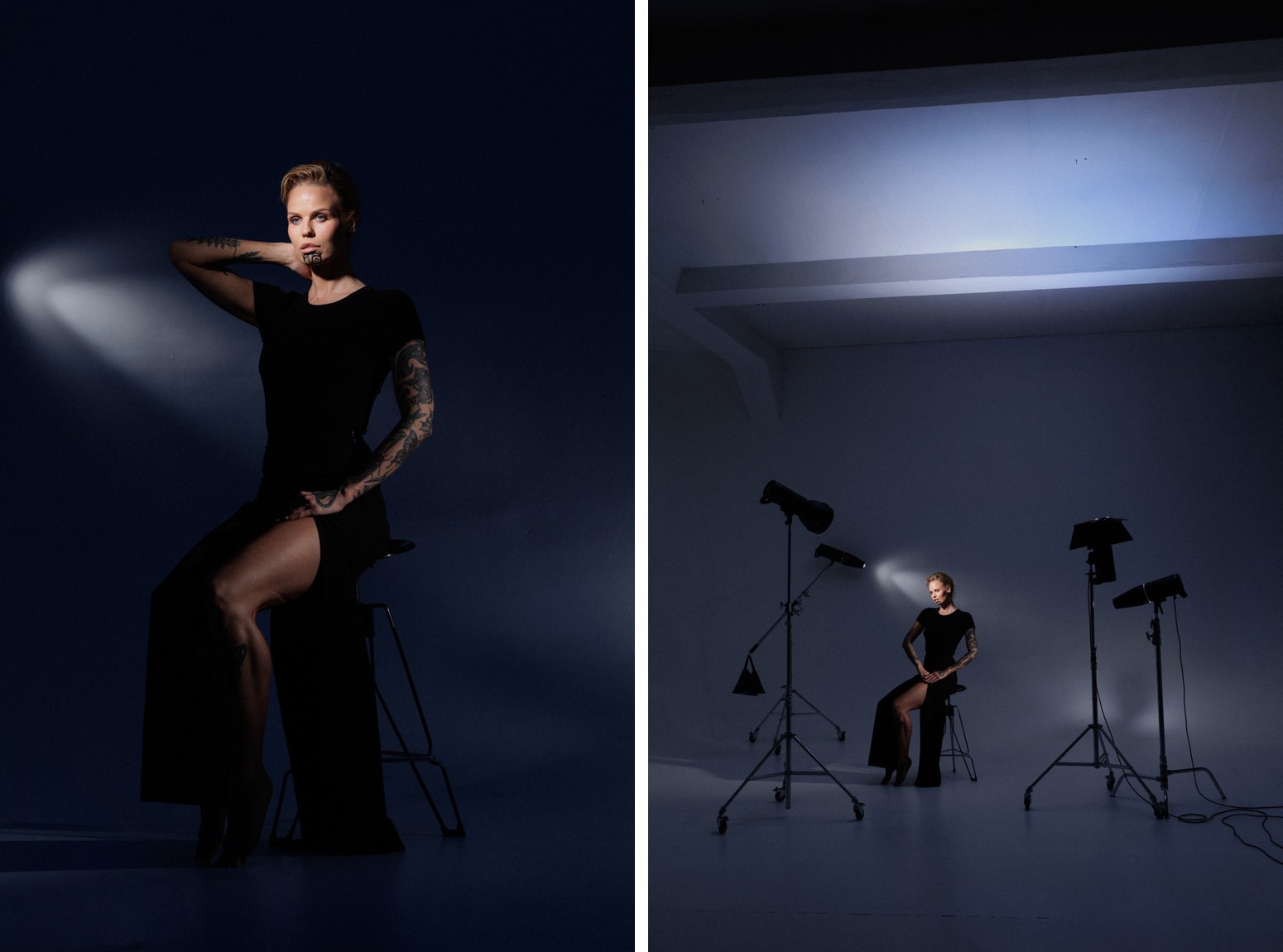
Few light shapers are as versatile as the P70 standard reflector. Used bare, it throws crisp, punchy light that sculpts form and draws clean, hard-edged shadows. Add a grid, barn doors or a colour filter, and the same reflector becomes a spotlight, a band of light or a colour wash.
Below we look at how the reflector and its accessories control light. Then broncolor ambassador Tomas Brazzi shows how he put the system to work on five creative shoots at Brazzi Studios in Vilnius.
What makes the P70 a studio workhorse
- Efficiency. Its parabolic profile directs the light forward instead of losing it to the sides. A joule is not just a joule – the right reflector puts more of your flash power on the subject.
- Even coverage. The finely textured interior spreads the light evenly across the full 70° beam. With a focusable lamp such as Pulso G, you can add a controlled centre emphasis.
- A modular front. Grids, barn doors, opal diffusers and colour filters attach directly, turning one reflector into a complete lighting toolkit.
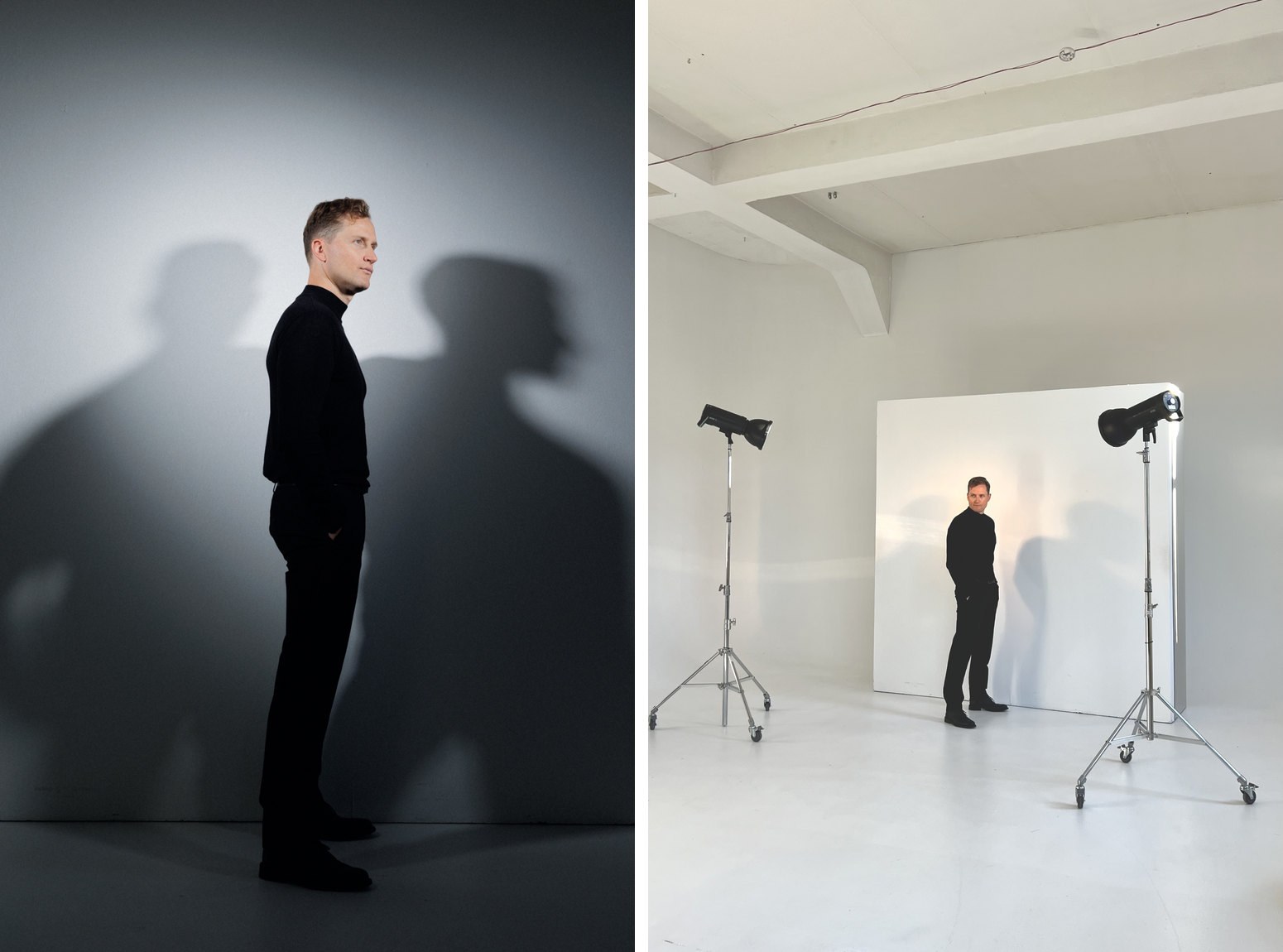
The character of hard light. Next to a softbox, the P70 is a small source. That means crisp shadow edges, strong contrast and visible texture – ideal for graphic fashion images and for shadows that become part of the composition.
How grids shape the light
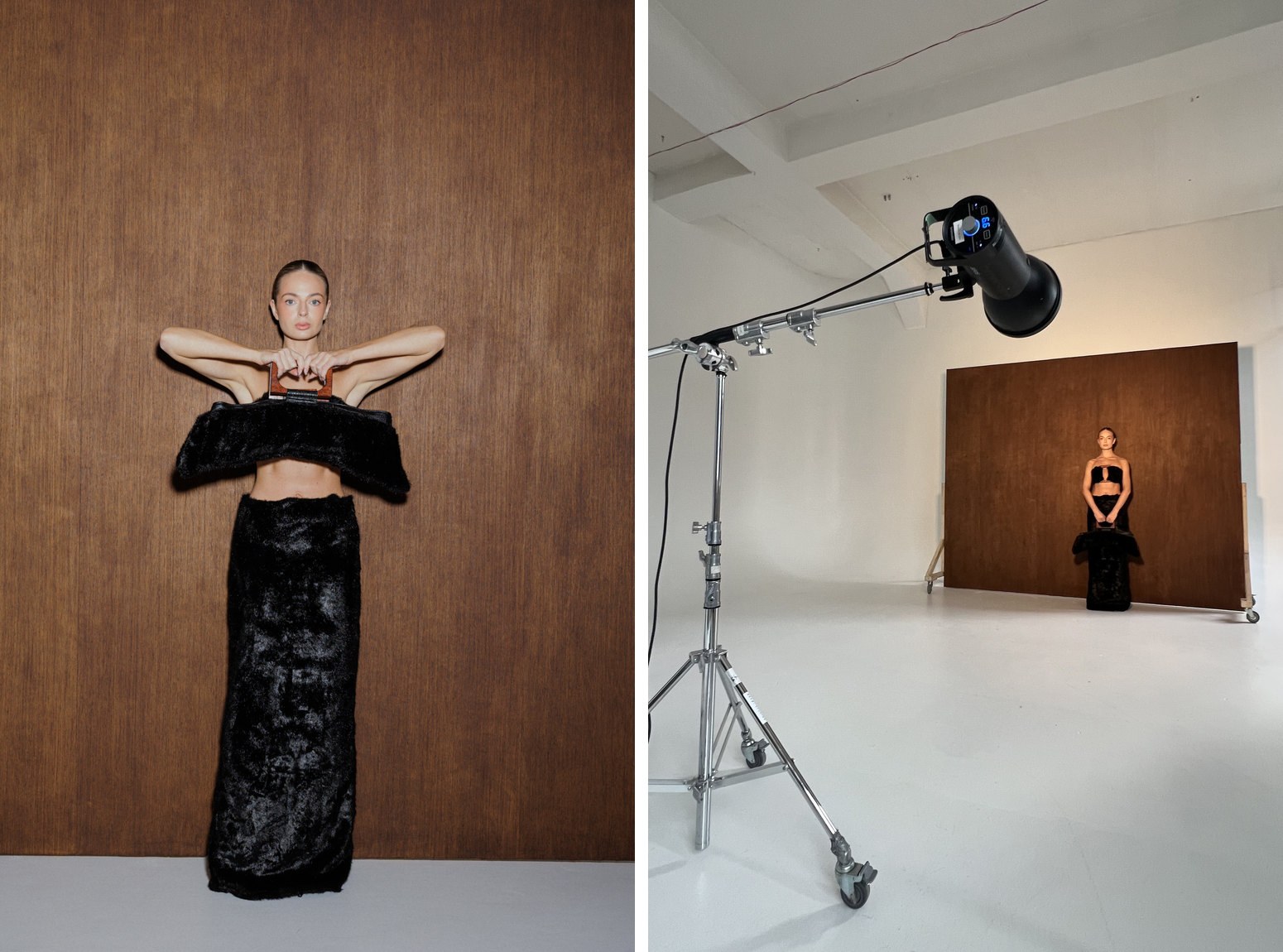
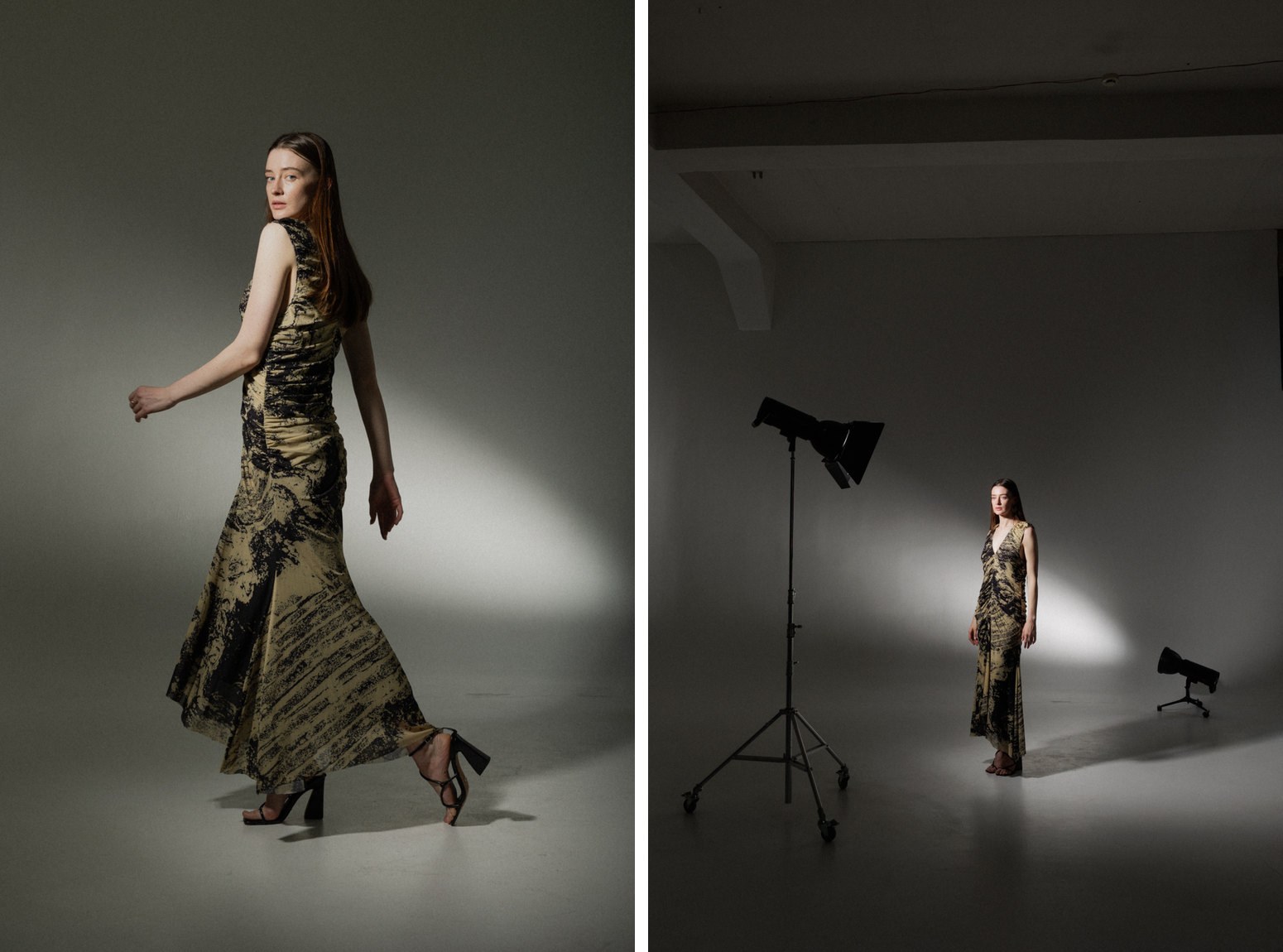
A grid narrows the beam. It lets through only the light that travels nearly straight ahead and blocks the rays that would spread to the sides. The result is a smaller, defined pool of light with darker surroundings.
Two rules help you choose a grid:
- Finer grid, smaller light spot. The narrower the cells, the smaller the lit area and the faster the light falls off at the edge.
- More grid, more contrast. Less light reaches walls and ceiling, so less light bounces back as fill. Shadows get deeper and the image more dramatic.
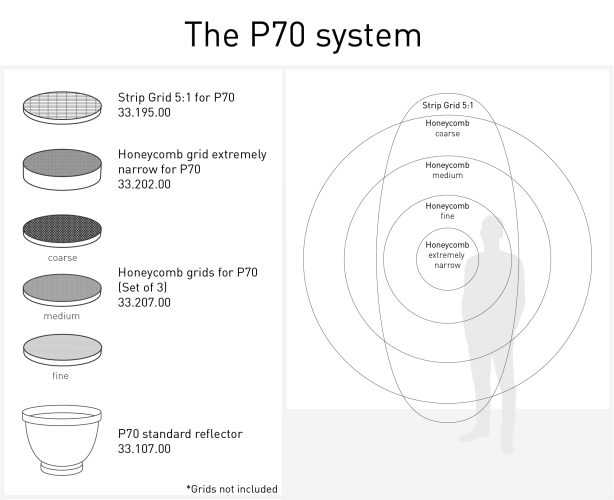
Grids are also useful when you don't want the light to touch everything. You can light a face without lighting the background, or keep light out of the lens to avoid flare.
Standard honeycomb grids make a round, centre-weighted spot. The Strip Grid 5:1 is different: it creates a rectangular area of light, five times longer than it is wide.
The P70 accessories at a glance
Each accessory changes one thing: the spread, the shape or the colour of the light.
- Honeycomb grids for P70 (33.207.00, set of 3: coarse, medium, fine) – reduce the coverage angle in three steps. Use them to choose exactly how wide a portrait light or accent spreads.
- Honeycomb grid extremely narrow for P70 (33.202.00) – a further, decisive reduction of the angle. Use it for spot-like light on a face, a product or a small detail.
- Strip Grid 5:1 for P70 (33.195.00) – rectangular light in a 5:1 ratio, heat-resistant. Use it for light bands on backgrounds, full-length figures and long products.
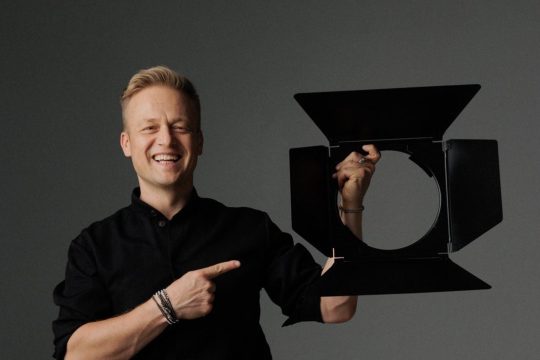
- Barn doors for P70 (33.227.00, 2 wings) – cut the light on two sides; 4 clips hold diffusers, filters and masks. Use them to keep light off the background or to hold colour filters.
- Barn door with 4 wings for P70 (33.247.00) – cuts the light on all four sides. Use it for precise flagging in tight setups.
- Colour filters for P70 (33.307.00, set of 12) – colour the light. Use them for coloured backgrounds, accents and moods.
- Opal diffusers for P70 (33.327.00, set of 12) – soften and even the light slightly. Use them to take the edge off the hard light.
Tip: Start with the coarse grid and work towards finer grids until the light covers only what you want.